
Talking to ASIST
Click MIC OFF and talk, or type in the input box and send. As soon as you finish speaking, ASIST starts answering with a short phrase. If you speak while it is replying, it stops reading aloud and listens. In Japanese conversations, it also gives backchannels while you are talking.
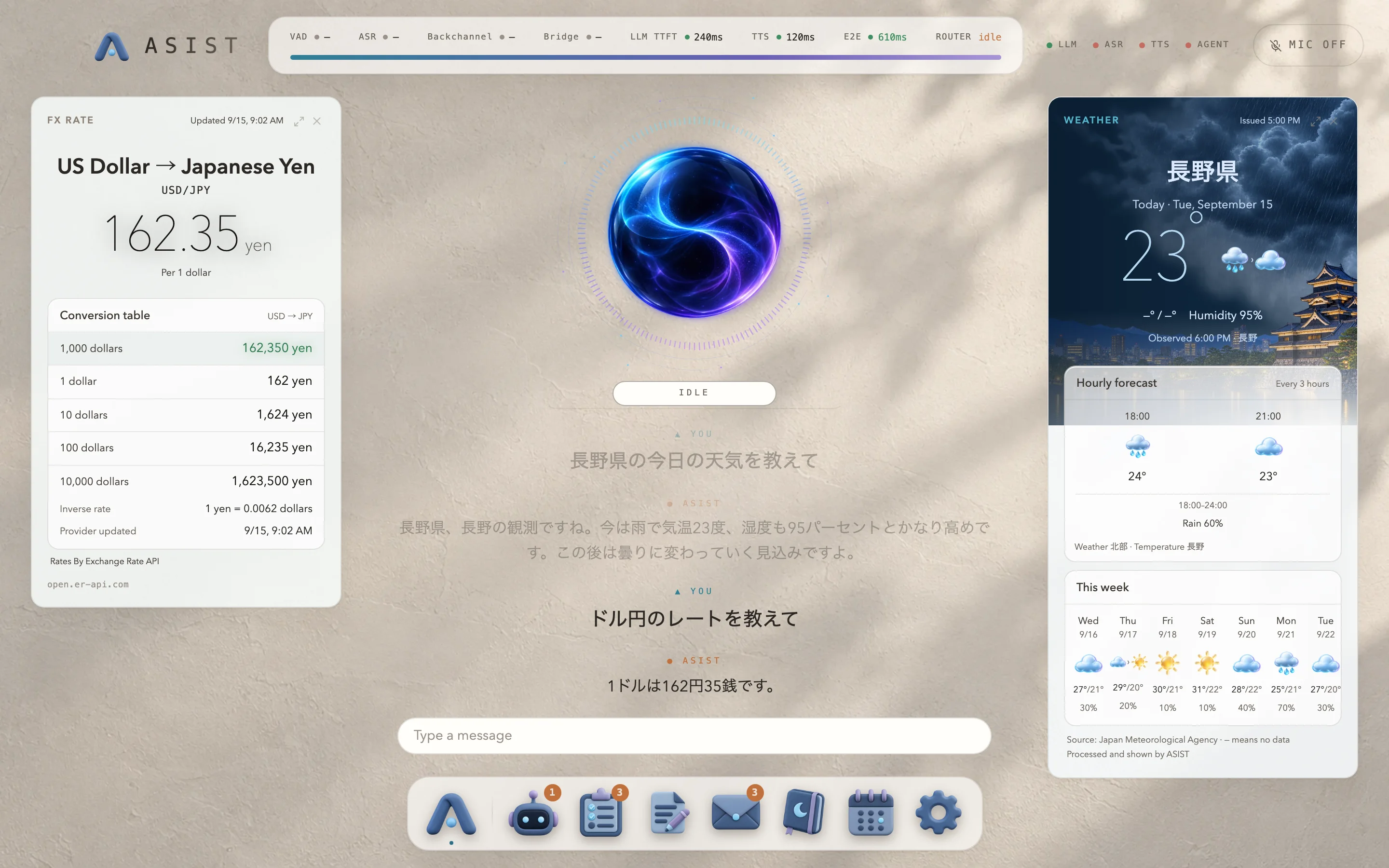
| What you say | What happens |
|---|---|
| “What’s the weather in Tokyo tomorrow?” | Shows the weather card and tells you the forecast. |
| “Look up the latest AI news” | Shows web search results on a card. |
| “Set a 3-minute timer” | Saves the timer and tells you when it ends, even if you close the card. |
| “Add booking the dentist to my to-dos” | Saves the task and shows it on a card. Say “Mark … as in progress” or “… is done” to change its status. |
| “Take a note of what we decided in the meeting” | Writes and saves a new Markdown note, and shows it on a card. |
| “Do I have any unread mail?” | Shows the inbox card and tells you the gist of the unread mail. |
| “Good morning” | Sums up your day from the weather, the news, today’s events and your unread mail. |
| “Look into this repository” | Confirms the location, starts an Agent job, and reports the result when it finishes. |
Opening the mini apps
Section titled “Opening the mini apps”“Agent”, “Tasks”, “Notes”, “Mail”, “Memory”, “Calendar” and “Settings” in the Dock at the bottom are ASIST’s mini apps. Click one, and the mini app appears on the left with the conversation on the right. To return to the conversation, click the same icon again, click ASIST in the Dock or the logo at the top, or press Escape. You can drag the icons in the Dock sideways to reorder them.
You can also open a mini app from the conversation by asking, for example, “Open next week in the calendar” or “Open this email”, and close it by saying “Close it”. While a mini app is open, the conversation model knows what it is showing, so you can say things like “Summarize this email”.
ASIST stays after you close the window
Section titled “ASIST stays after you close the window”When you close the window, ASIST stays in the menu bar, and you can bring it back with ⌥Space. It also uses macOS notifications to tell you when a timer ends, a job finishes or new mail arrives.
The HUD at the top shows how long speech recognition, generating the reply and reading it aloud took.