Conversation models
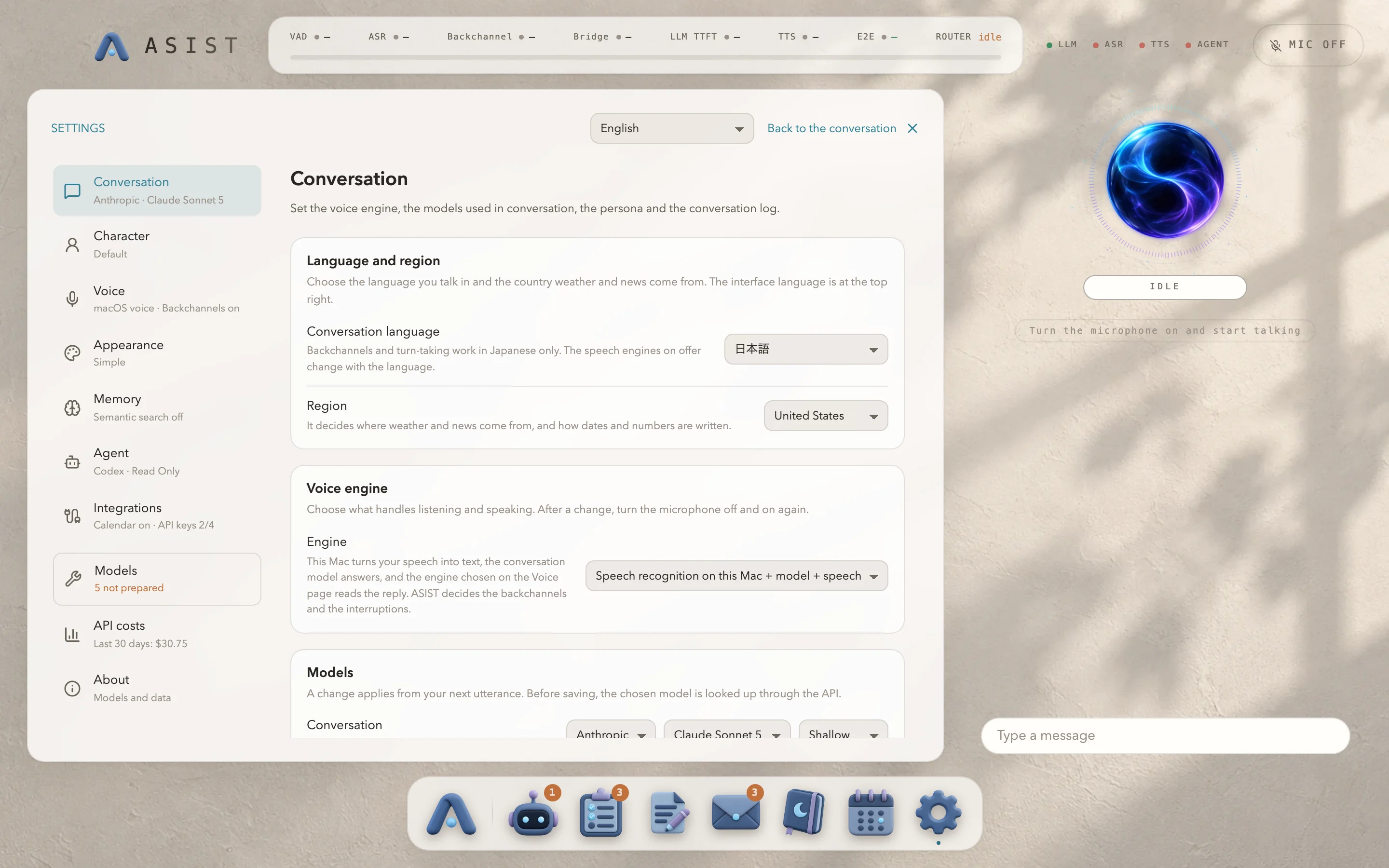
Under “Conversation”, choose the conversation model and the model for the bridge phrase. The bridge phrase is a short phrase that ASIST prepares while you are still talking and says before the main answer.
Save an API key for each provider under “API keys” in “Integrations”. Before saving a key, ASIST checks that it can get the list of models from that provider’s API. You can’t choose a model from a provider that has no key. Keys are stored encrypted with a key from the macOS keychain.
Next to the model, you can choose the depth of thinking. The default is the shallowest setting, so that a voice conversation doesn’t keep you waiting. With a deeper setting, it can take more than ten seconds before the answer starts.
Web search uses the provider’s built-in search, so it isn’t available with Cerebras models, which have no built-in search. The conversation history is stored in a form that doesn’t depend on the provider, so the conversation carries on even if you switch models partway through.
The list of models you can choose is in Models ASIST uses.