
Agent jobs
Research that takes a while and edits to files go to the codex or claude CLI as Agent jobs. Set up the Agent CLI first.
Every job is confirmed first
Section titled “Every job is confirmed first”Every job you ask for in the conversation, even one that only reads, shows a confirmation screen before it starts and before it continues. The screen shows the instructions for the agent, the working directory, and whether the job can write. The job starts only when you click “Start job”. Jobs run with your permissions, so cancel any job whose instructions you don’t remember giving.
Merging the changes
Section titled “Merging the changes”Edits to a Git repository are made in a separate worktree. When the job finishes, review the diff and choose “Merge” or “Discard”. When you ask for a merge in the conversation, a confirmation screen lists the changes, and ASIST merges them only after you approve.
Edits to an existing folder that is not under Git are written straight into that folder. A job without a working directory creates a working folder of its own and runs there. Memory curation merges its changes on its own only when every change is to a file inside the memory folder.
Following the progress and the results
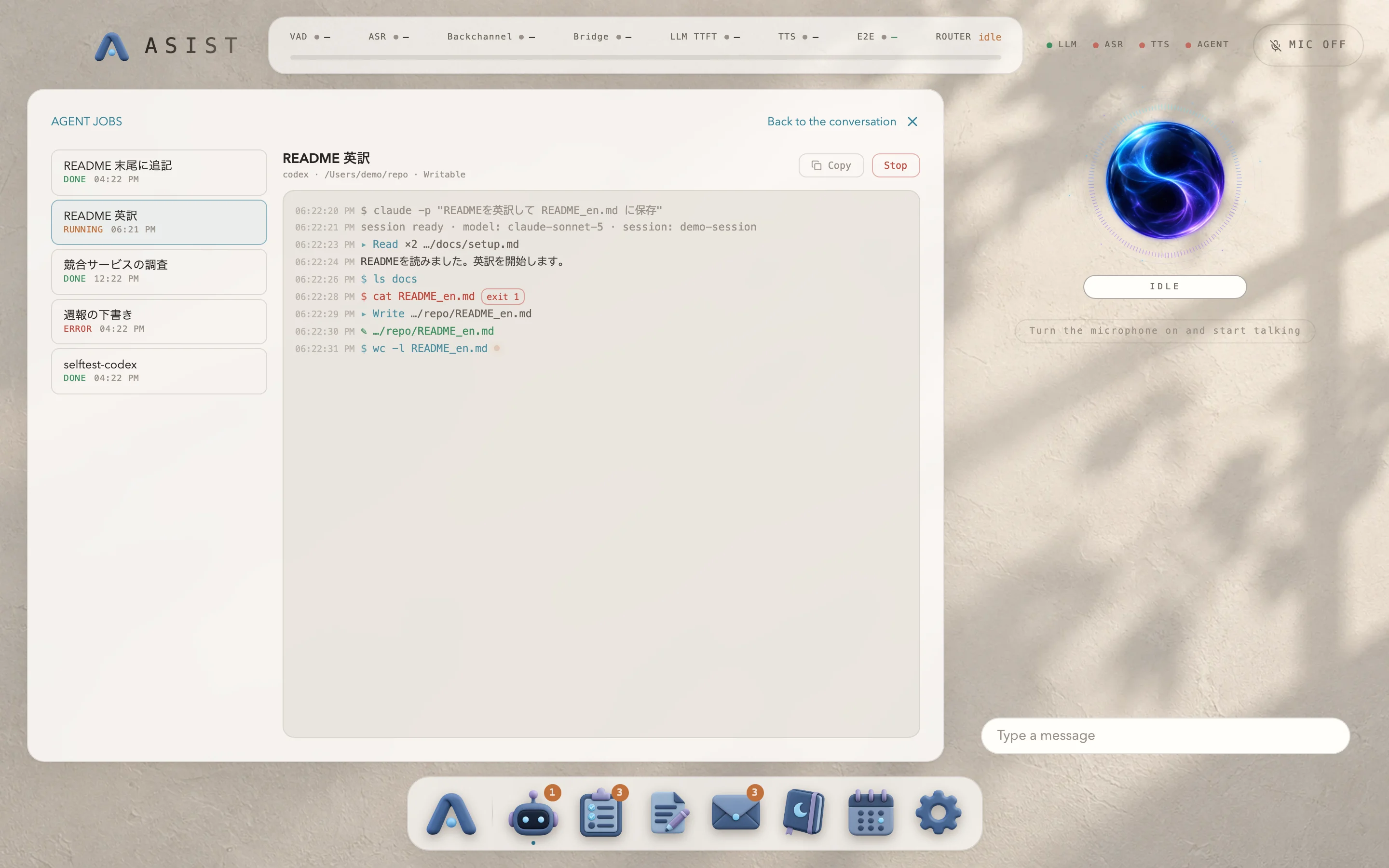
Section titled “Following the progress and the results”Under “Agent” in the Dock, you see the list of jobs, the log of the selected job, and below it a card for each output file. Click an output file to see its contents on a file card. You can select and copy text in the log, and “Copy” puts the whole log on the clipboard.
In the conversation, you follow jobs on two cards. Ask “How are my jobs doing?” to get the list card. It shows the jobs that need a decision first (waiting to be merged, or in conflict), then running jobs, then recently finished ones. A job card shows a single box that fits the job’s stage: the diff and “Merge / Discard” when the job is waiting to be merged, the current step and the log while it runs, the summary and the output files when it is done, and the reason and the end of the log when it fails. When a job needs a decision or finishes, its card appears without you asking.
A canceled job shows “Stopping” until ASIST confirms that its process has ended. When ASIST starts again after quitting unexpectedly, it also confirms that the job has stopped before it finalizes the output files, and keeps the worktree if it can’t confirm that. The history keeps the 50 most recent finished jobs.
Choose the engine and the default mode under Agent in the settings.