
Calendar
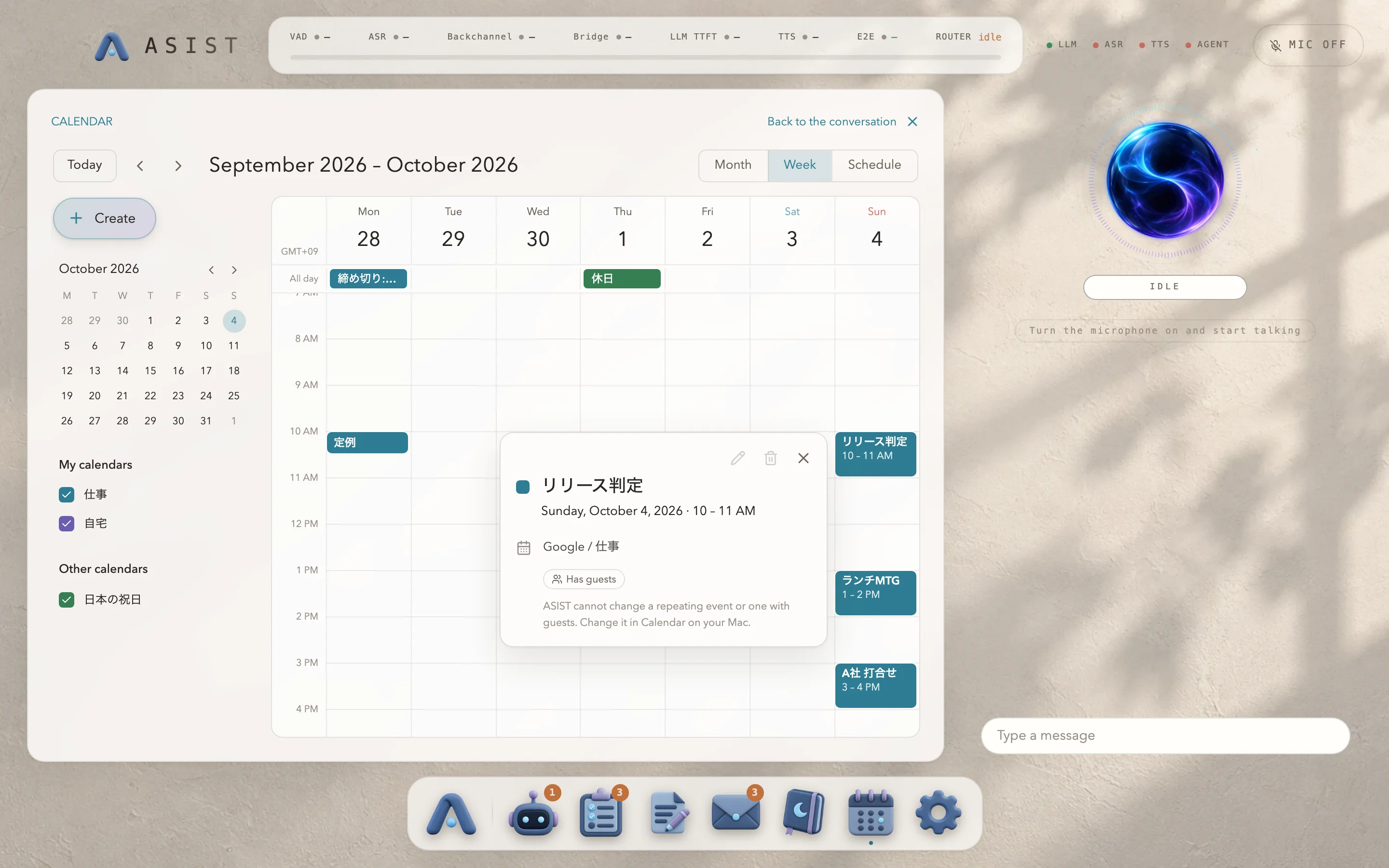
ASIST shows and searches the Google and iCloud events you have added to the macOS calendar, and can add, change and delete ordinary events. How to connect it is covered in Connecting your calendar.
Under “Calendar” in the Dock, you can switch between Month, Week and Schedule. In the conversation, ask things like “Show me today’s schedule” or “Put a meeting in at 10 tomorrow”.
Writes, whether from the conversation or from the screen, happen after you approve them on a confirmation screen. Change and delete recurring events and events with invitations in the Mac’s Calendar app. macOS does the syncing to Google, so ASIST saving an event and the event reaching Google are two separate things.