
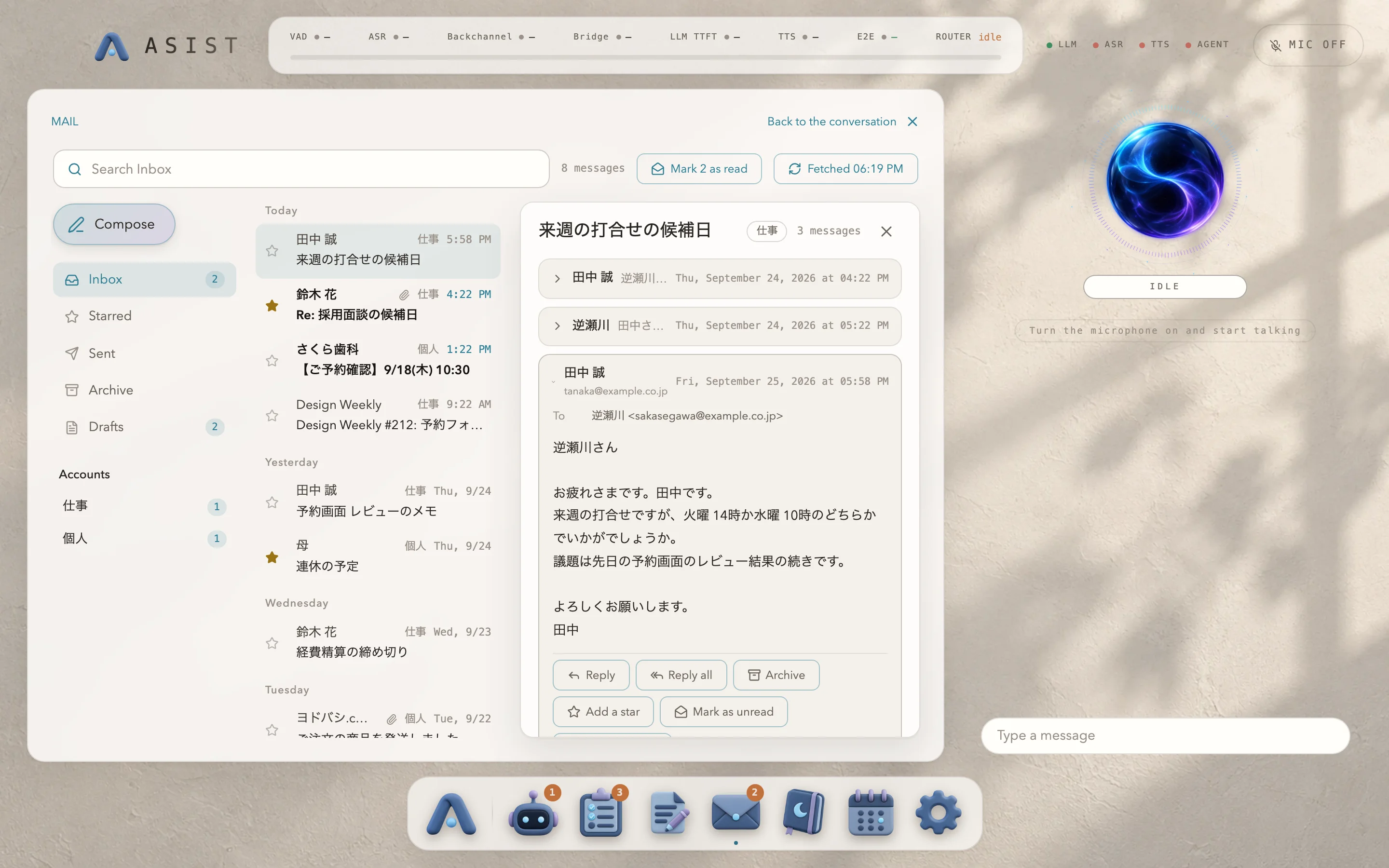
How to connect a mail account is covered in Connecting your mail.
From the conversation
Section titled “From the conversation”Ask “Do I have any unread mail?” for a list card, or “Read it” for a card with one message, and ASIST tells you the main points. “Find the email about …” searches the subjects, the senders and the message text.
When you ask ASIST to send or reply in the conversation, it doesn’t send anything; it shows a draft card instead. You can fix the recipients, the subject and the text on the card, or ask for something like “Make it a bit more polite” to have it rewritten. The message is sent when you click “Send”. Archiving, moving to the trash, marking as read and starring happen after you approve them on a confirmation screen. If sending fails in a way that leaves it unclear whether the message went out, ASIST doesn’t send it again and asks you to check the Sent folder.
From the Dock
Section titled “From the Dock”Under “Mail” in the Dock, you see the mail of all your accounts together, sorted by date, and you can search, view threads, reply, compose and save drafts. Sending from the screen happens when you click “Send”. Moving to the trash goes through the same confirmation screen as in the conversation. The number in the Dock is the count of unread messages that arrived in the last 24 hours.